
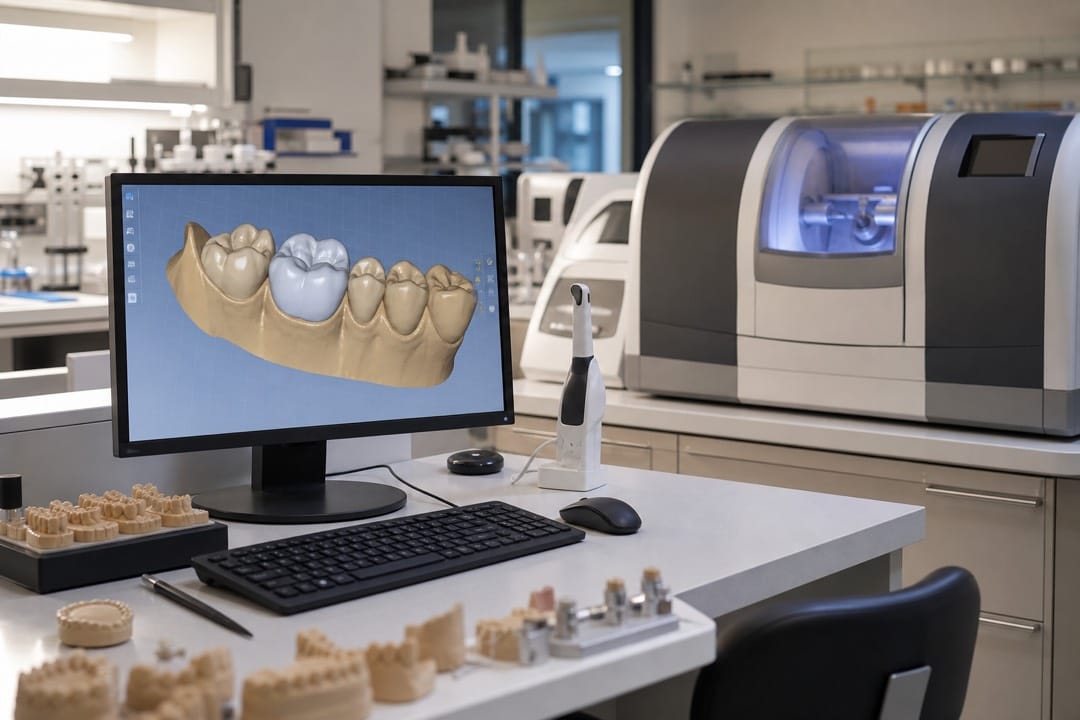
Building a Connected CAD/CAM Chain in Toronto
CAD/CAM dental equipment Toronto labs assemble should eliminate manual file handoffs that create remakes. A common failure pattern: excellent intraoral scans arrive from a North York clinic, get designed correctly in software, then export to CAM with the wrong origin point because nobody documented the scanner-to-mill axis convention. Standardize naming, folder structure, and export settings before buying the second machine. Toronto labs often receive STL files from five scanner brands across their client base; open CAD/CAM systems accept those files without proprietary lock-in that forces clinics to re-scan. Implant cases from Mississauga referral practices often arrive with scan bodies still attached; establish a standard removal protocol before files enter design so margin errors do not cascade into milled abutments. Map each case type to a production route. Single crowns flow design to mill. Implant cases may branch to printed guides first, then milled temporaries. Document who owns QC at each step so a loose contact never ships because the finisher assumed the designer checked occlusion.
Get in touch, we're here to help
Send us a message using the form below and we’ll get back to you shortly!
Design Software as the Hub of Toronto Production
CAD/CAM design software with modular add-ons lets you activate implant libraries when volume justifies the cost rather than paying upfront for unused features. Crown-and-bridge teams need efficient margin tools and contact adjustment macros. Removable teams need denture tooth placement and gingiva sculpting that exports cleanly to print or mill paths. Train designers and production technicians together so both understand how a 0.05 mm margin change affects mill time and fit at delivery. Production equipment branches from design output. A CAD/CAM milling machine handles zirconia and PMMA with different CAM post-processors that must stay synchronized when software updates ship. Resin printing catches everything mills should not waste spindle hours on: verification models, surgical guides, and try-ins. Post-processing is not optional equipment. Sintering furnaces, wash-cure stations, and polishing systems complete the chain; skipping them creates bottlenecks where milled units pile up waiting for firing trays.
Phased Digitization for GTA Labs with Mixed Staff Skill Levels
Not every technician digitizes at the same pace. Phase one: scanner integration and design proficiency on live cases with analog backup still running. Phase two: mill or printer producing billable units daily with documented QC checklists. Phase three: metal printing or secondary platforms once primary digital volume stabilizes. CAD/CAM dental equipment Toronto dealers who push all platforms in month one often strand expensive hardware while staff revert to wax and press when deadlines hit. Assign version numbers to CAM templates so a mid-week software update does not silently change tool paths on open bridge jobs. When designers and mill operators share a bench, a printed workflow card at each station beats relying on memory during staff absences. Schedule quarterly workflow audits after install. Nesting efficiency, remake root-cause logs, and per-unit labor time reveal whether your digital chain actually saved hours or added complexity.
FAQs
What is the first CAD/CAM purchase for a Toronto lab going digital?
Most labs integrate design software with existing scanner workflows first, then add production equipment matched to highest-volume case types once files export reliably.
Can CAD/CAM equipment accept files from any intraoral scanner?
Open systems accept standard STL and OBJ formats from major scanners. Verify compatibility with your top three clinic clients’ scanner brands before committing to closed ecosystems.
How do Toronto labs prevent design-to-mill export errors?
Document axis conventions, use consistent material libraries, lock CAM templates after validation, and restrict manual STL edits outside the approved software chain.
Should milling and printing share one design software platform?
Yes when possible. Shared software reduces export errors and lets technicians move between model printing and crown milling without learning separate design environments.
How long until a GTA lab sees ROI on CAD/CAM equipment?
Labs producing 30 or more digital units weekly often recover equipment costs within 18 to 24 months when remakes drop and labor per unit decreases measurably.
Your business deserves the best solutions
Let's connect and elevate your business!